
INDUSTRY INSIGHTS
Flex vs. Rigid-Flex PCBs: What's the Difference?
SHARE POST
On your boards, every square millimeter counts. The challenge often starts with fitting high-performance circuitry into a space that isn’t built to be generous. That’s when board structure stops being a detail and starts defining the system.
Some designs call for flexibility, like bending, folding, and navigating tight geometry. Others depend on the strength and layered precision of rigid-flex, especially when reliability under stress can’t be compromised. Understanding how each option behaves, both mechanically and electrically, can steer the whole development cycle. And taking the time now to match the board to the environment can save weeks of redesign and more than a few headaches later.
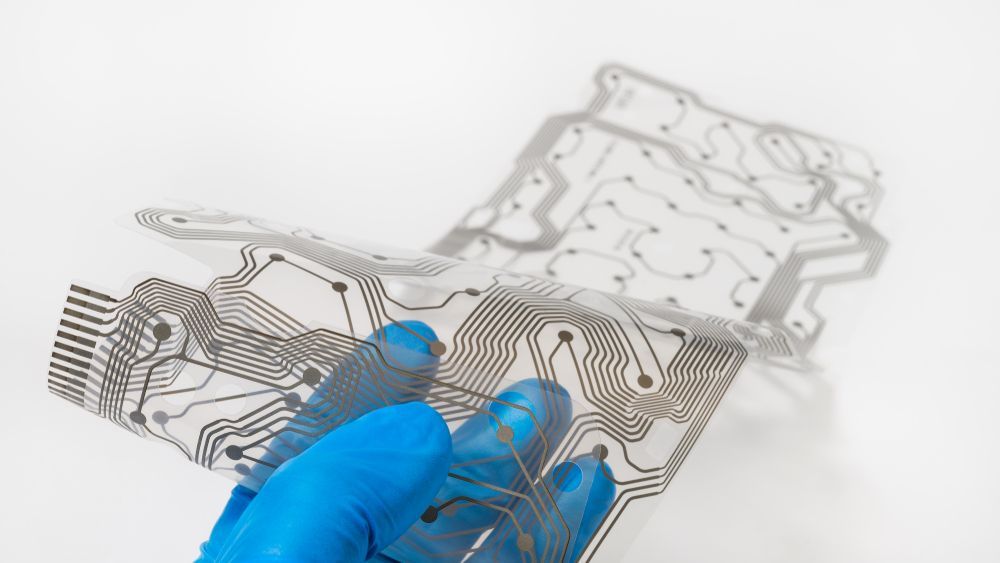
What Are Flex and Rigid-Flex PCBs?
Both types are designed for tight spaces, movement, or hybrid environments. But their construction, materials, and performance characteristics vary significantly depending on how and where they’re used.
Flex PCBS
This approach uses a thin, bendable substrate like polyimide that lets the board twist, fold, or wrap around curves. They're common in wearables, cameras, and compact medical devices where space is limited and motion is expected.
These designs reduce the need for connectors and cables, which helps cut weight and potential failure points. Flex circuits work well for designs that move or fit into tight, irregular spaces. However, they can be more fragile and demand tighter tolerances during fabrication and assembly.
Rigid-Flex PCBs
These combine rigid sections with flexible layers in one integrated board. The flex areas connect rigid zones internally, allowing movement while offering mechanical stability for components. This setup is common in aerospace controls, defense hardware, and robotics.
By removing interconnects and cables, rigid-flex boards boost signal integrity and improve reliability in tight or high-vibration environments. They also help reduce total assembly steps. Design takes more time up front, but the payoff is performance and durability in complex systems.
Core Differences Between Flex and Rigid-Flex Designs
Material selection, movement tolerance, and system complexity all shape how these technologies perform. Understanding these differences helps align your design to function, cost, and reliability goals.
Material Stackups and Substrate Types
Flexible circuits typically use polyimide films and adhesive layers designed for repeated bending and tight routing. Rigid-flex stackups combine those same flexible layers with rigid cores like FR-4 or other reinforced laminates. The challenge lies in how materials are bonded and layered. These builds demand precise control over thickness, adhesive systems, and copper balance to avoid cracking or warping. Every stackup impacts cost, yield, and durability, so material planning is a key part of early development.
Mechanical Flexibility and Bend Radius
Flex circuits can bend, twist, and move freely, making them ideal for wearables, foldable electronics, or enclosures with changing geometry. Rigid-flex boards, in contrast, flex only in designated regions. The rigid zones anchor components, while the flexible sections route signals through moving parts. Each option has different bend radius requirements. Flexible builds allow tighter folds but need relief features. Hybrid designs permit limited movement and must avoid over-flexing near rigid transitions, where cracking and delamination are most likely.
Assembly, Connectors, and Reliability
One major advantage of both is the reduction of connectors. Flexible formats can replace entire wire harnesses, cutting failure points. Hybrid construction takes this further by combining multiple board sections into one reliable unit. This reduces solder joints, cable stress, and vibration issues. Assembly is often more efficient. Hybrid boards require fewer steps during installation and inspection, but they need careful handling during production, especially where rigid and flexible layers meet.
Layout and Design Complexity
Flex layouts need creative routing to handle folds, enclosures, or moving parts. Rigid-flex adds more design layers to manage, including component zones, stiffeners, and mechanical anchors. The CAD work can be more advanced, but it results in cleaner, integrated systems. Signal quality improves without connectors or long trace runs. Still, hybrid builds call for clear planning from the start. Stackup, bend paths, and copper balancing all influence performance, yield, and fabrication success.
How to Choose Between Flex and Rigid-Flex
Start by evaluating movement, space, and reliability requirements. When the design calls for consistent flexibility across the entire board, a standalone flexible option may be best. These builds are lightweight, adaptable, and fit well in compact or oddly shaped enclosures.
Rigid-flex suits applications that need both mechanical support and dynamic routing. The rigid zones anchor components, while flex layers handle movement between them. This structure removes the need for internal connectors, which boosts reliability. Although rigid-flex usually costs more and takes longer to produce, the tradeoff pays off in high-performance, complex builds supported by
PCB assembly solutions that improve long-term reliability.
Common Misconceptions About Flex and Rigid-Flex PCBs
Several common myths can lead teams down the wrong design path. Here’s what often gets misunderstood:
Flexible circuits are too fragile.
When properly designed and handled, flex circuits can survive thousands of bending cycles without failure.
Rigid-flex is always the better choice.
Not every product benefits from the added cost or complexity. Simpler builds typically work better with standalone flex.
Flex circuits are just for consumer electronics.
They're widely used in aerospace, robotics, medical devices, and defense systems.
Early planning isn’t necessary.
Skipping stackup planning or overengineering can increase cost, delay production, or make a design harder to build.
Prototyping Tips for Flex and Rigid-Flex PCB Designs
Building flex or rigid-flex? These tips will help avoid common missteps:
- Start with a mechanical model. Know exactly where the board will bend, fold, or mount.
- Work closely with your manufacturer. Early collaboration helps catch DFM issues before they stall production.
- Use flexible-rated materials. Make sure your BOM reflects adhesives, films, and coverlays suited for bending.
- Don’t trust default design rules. Flex and rigid-flex need unique spacing, routing, and constraint settings.
A few early changes can make a big difference down the line, especially for teams using
PCBA and prototyping services to meet aggressive schedules or validate mechanical fits.
Ready to Prototype? Let’s Get to Work

Tight timeline? Complex stackup? We’ve got you. Ninja Circuits builds high-precision, flexible, and rigid-flex prototypes fast, with the kind of attention to detail your project deserves. If you’re racing a deadline or validating a design for a critical application, we’re the partner who understands what’s on the line.
Upload your BOM, send your Gerbers, and talk directly with our engineering team. You’ll get fast answers, clear communication, and parts moving within hours instead of days. Our team specializes in
electronic PCB prototyping that meets the demands of high-reliability builds in aerospace, medical, and defense.
Need it fast? Call Ninja.
Request a quote and let’s build something that works.
INDUSTRY INSIGHTS